Docs
Overview
This guide is the "from zero to first message" path for the current customer API.
1) Get your token + secret (Dashboard)
Create an API token in the dashboard, then copy:
- API Token
- API Secret
Keep the secret server-side. Don’t ship it to browsers or mobile apps.
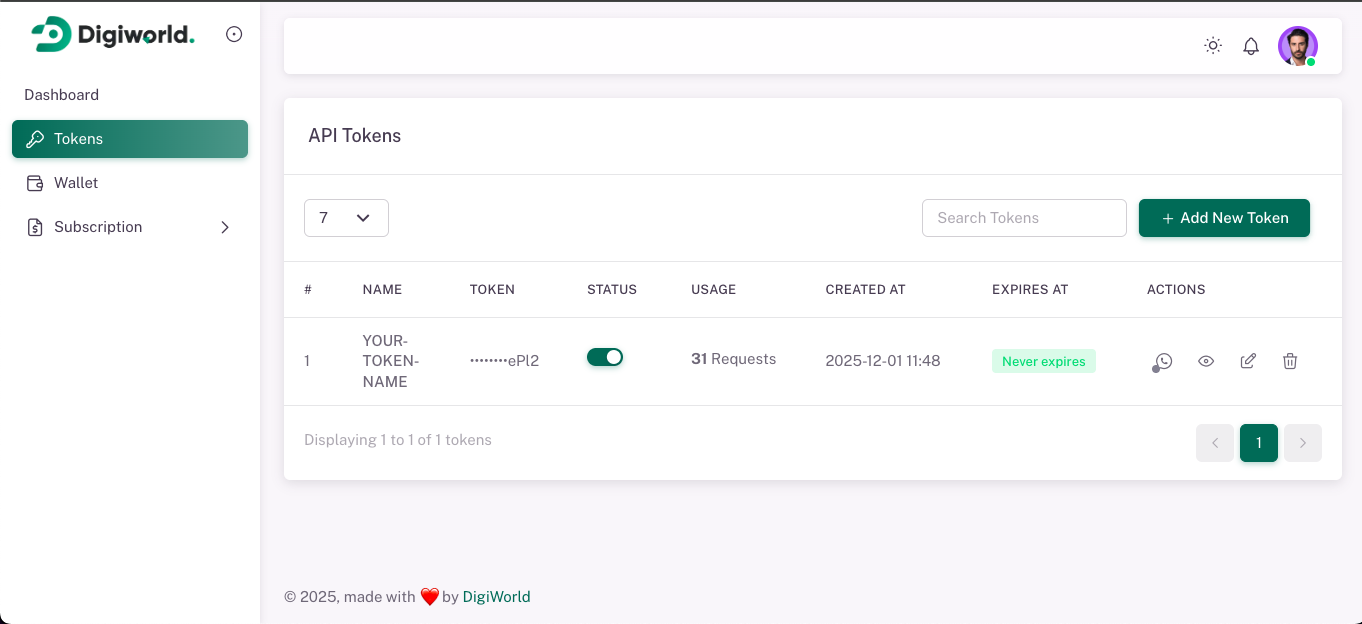
<figcaption class="docs-shot-caption">Tokens list</figcaption>
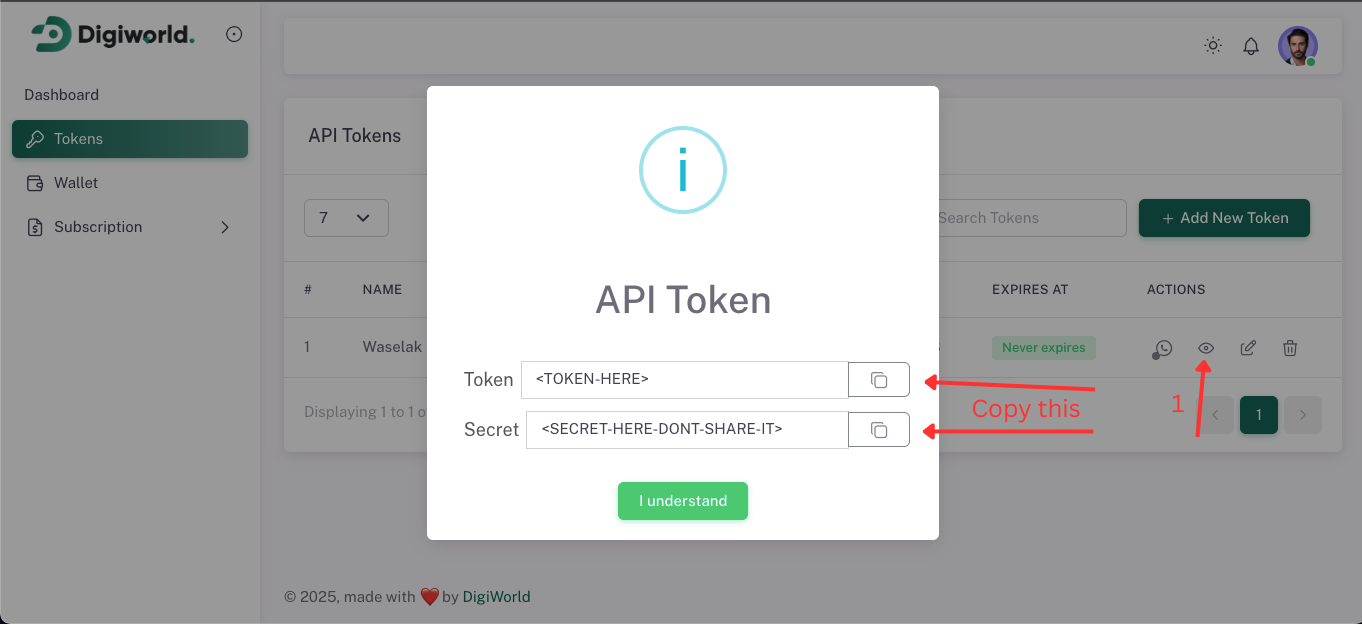
<figcaption class="docs-shot-caption">Token details (Token + Secret)</figcaption>
2) Connect a WhatsApp session (Dashboard or API)
Open Sessions, start the token session, then scan the QR once.
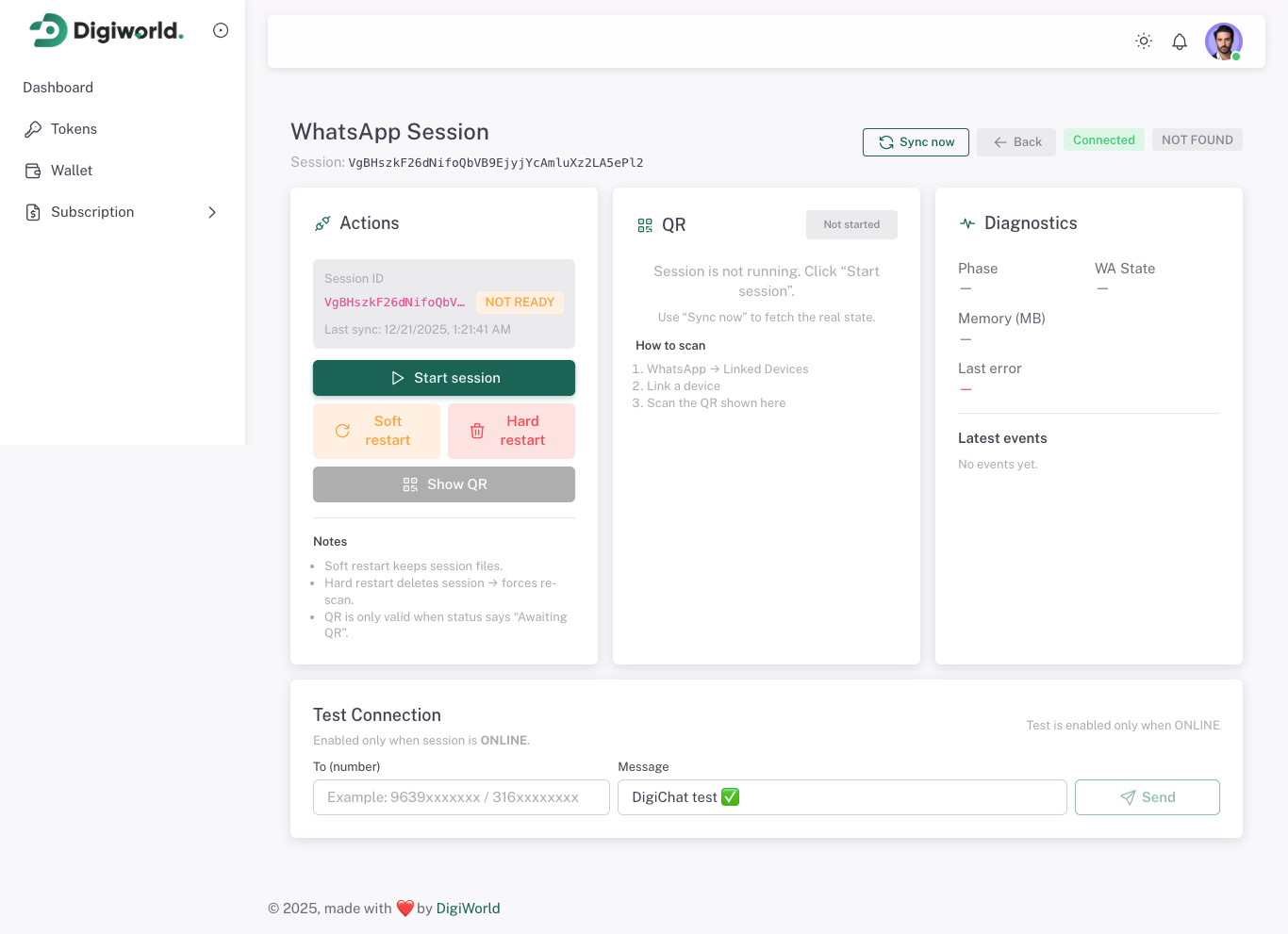
<figcaption class="docs-shot-caption">Sessions page</figcaption>
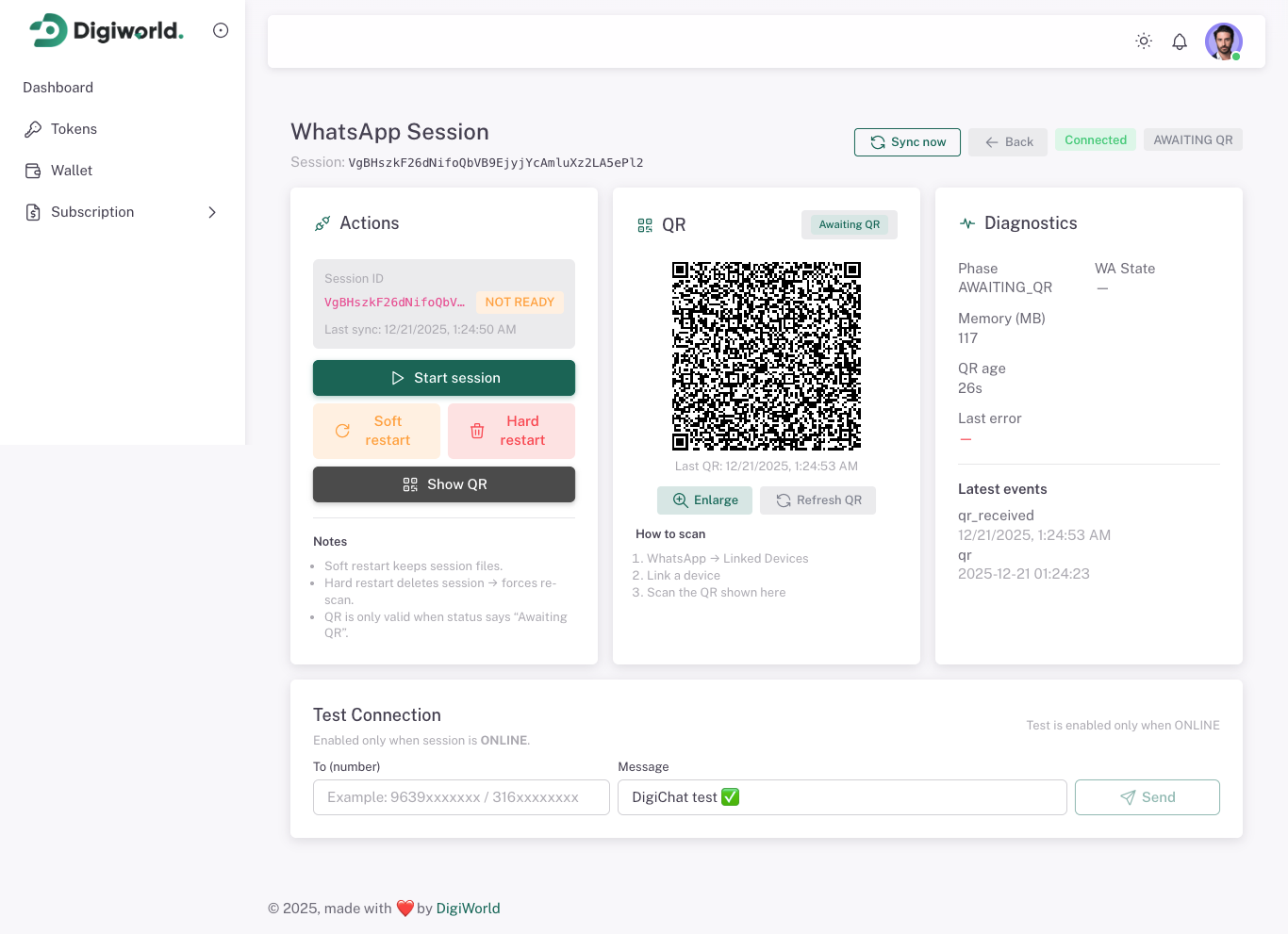
<figcaption class="docs-shot-caption">QR modal</figcaption>
When the status becomes ONLINE, you can send messages.
API equivalents:
POST /api/whatsapp/{token}/startGET /api/whatsapp/{token}/statusGET /api/whatsapp/{token}/qrGET /api/whatsapp/{token}/qr/imagePOST /api/whatsapp/{token}/refreshPOST /api/whatsapp/{token}/terminate
3) Send your first message (API)
Base URL:
https://stagging.digichat.digiworld-dev.com/api/whatsapp/{token}
Example endpoint:
POST https://stagging.digichat.digiworld-dev.com/api/whatsapp/{token}/sendMessage
Canonical JSON body:
{
  "chatId": "963912345678",
  "type": "text",
  "text": "Hello!"
}
Legacy aliases still work for compatibility:
{
  "phone": "963912345678",
  "message": "Hello!"
}
Other current messaging endpoints:
POST https://stagging.digichat.digiworld-dev.com/api/whatsapp/{token}/sendMediaPOST https://stagging.digichat.digiworld-dev.com/api/whatsapp/{token}/invite-infoPOST https://stagging.digichat.digiworld-dev.com/api/whatsapp/{token}/channel-info